Grand Valley: A Tiny Virtual Valley Where You Can Watch Trains and Listen to Lofi
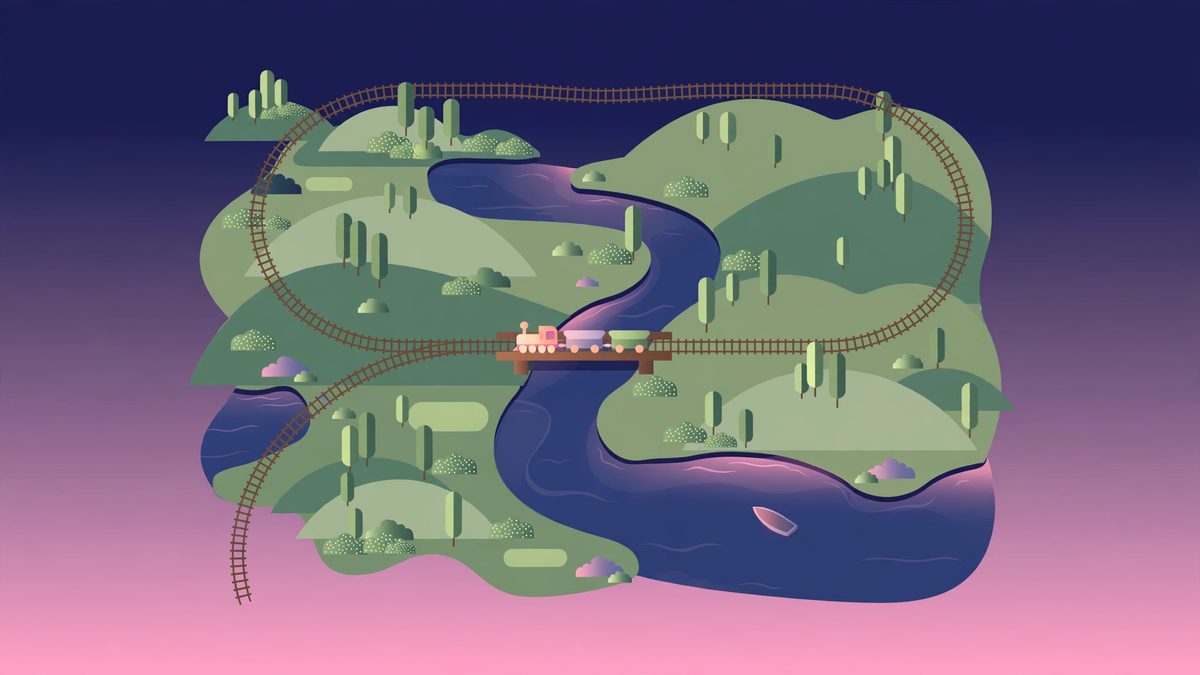
Grand Valley is a free website that turns your browser into a miniature diorama: a train winds through a valley while lofi music plays, and you can switch cameras, steer a boat, and change the time of day.
A miniature world in a browser tab
Some days call for a quiet corner of the internet rather than another feed to scroll. Grand Valley is a free website that offers exactly that: a detailed miniature valley, rendered as a moving diorama, where a small train travels along tracks through hills, bridges and rivers. There is nothing to win and nothing to install. You open the page, and the scene is already alive.
The first thing you notice is how much care went into the scenery. The valley is built like a model railway display, with tiny landscapes that shift as the train follows its route. It is the kind of page you leave open in a side tab while you work, glancing over whenever you need a moment to breathe.
Five camera angles, from the sky to the driver's seat
The site does not lock you into a single viewpoint. Its camera system lets you change perspective whenever you like. Overview pulls back to show the whole valley from above, so you can follow the train's full loop and take in the landscape at once. Train keeps the focus on the locomotive as it crosses hills and bridges. Bridges is for anyone who enjoys watching the train cross the valley's great spans. Passenger puts you inside a carriage, looking out of the window as the scenery slides past, while Driver places you at the front of the train, facing straight down the track ahead.
The most unusual view is Boat. It breaks the pattern of passive watching and hands you the controls: a small boat appears on the water, and you steer it with the arrow keys on your keyboard, guiding it along the river and around the bends of the map. It is a simple interaction, but it turns a relaxing scene into something you can genuinely explore.
Built-in lofi music and a full control panel
Grand Valley comes with its own soundtrack. A built-in lofi player provides gentle background music, with volume, track skipping and a loop option, plus a handy setting that stops the music automatically after 15 minutes — useful if you listen as you drift off to sleep.
The settings panel offers a surprising amount of control. You can switch the time of day between bright daylight, a warm evening glow or a quiet night, and change the weather to sunny for a brighter mood. A train speed slider decides how fast the locomotive runs, while a time slider fast-forwards the day. There is even a performance mode for weaker computers, and two artistic display styles — pixel art and ink lines — that redraw the whole scene in a completely different look.
A calm tab worth keeping open
Grand Valley will not make you more productive on its own, but that is not really the point. It is a small, free escape hatch: a place to park your attention for a few minutes when a deadline gets heavy or the day feels too loud. Open it, pick a camera angle, let the train run and the music play, and the valley does the rest. If your browser could use one calm corner, this is a good candidate for it.
Comments (0)